Table of Contents
ToggleA clogged or aging water filter in your KitchenAid refrigerator doesn’t just affect the taste of your water, it compromises the appliance’s ability to deliver clean ice and filtered water efficiently. Most homeowners put off replacing their refrigerator water filter because they assume it’s a complicated task requiring professional help. The truth is, swapping out a KitchenAid water filter takes only a few minutes, minimal tools, and no special skills. This guide walks you through the exact steps to replace your KitchenAid refrigerator water filter, why it matters, and how to reset the filter indicator light so you stay on top of maintenance.
Key Takeaways
- KitchenAid refrigerator water filter replacement is a simple 5-minute task that requires no special tools—just a replacement filter and basic hand-turning skills.
- Water filters should be replaced every 6 months under normal usage, or every 3-4 months if you have hard water or high sediment, to maintain clean ice and water quality.
- Always shut off the water supply valve behind the refrigerator before removing the old filter to prevent water spray and spills.
- After installing your new filter, run water for 15-20 seconds to flush out air and residue; slight cloudiness is normal and clears within a minute or two.
- Reset your refrigerator’s filter indicator light manually through the control panel menu or physical reset button so it accurately tracks your next 6-month replacement cycle.
Why Replacing Your Water Filter Matters
Your refrigerator’s water filter serves a critical function: it removes sediment, chlorine, and other contaminants from the water supply before it reaches your ice maker and dispenser. Over time, the filter becomes saturated and loses effectiveness. When that happens, ice cubes may taste off, water flow slows, and the system works harder than it should.
Most manufacturers, including KitchenAid, recommend replacing your water filter every six months under normal usage. If you have hard water, higher sediment content, or use your dispenser frequently, you might need replacements every three to four months. Ignoring a dirty filter doesn’t just affect water quality, it can strain your refrigerator’s water pump and reduce the lifespan of the appliance. Staying on schedule with filter replacements is one of the simplest maintenance tasks you can do to protect your investment and keep your household’s water clean.
What You’ll Need Before Getting Started
The beauty of this job is that it requires almost nothing. Here’s what to gather:
Materials:
- A replacement KitchenAid water filter (check your refrigerator model number to ensure compatibility: filters vary by model)
- A small bowl or bucket (optional, to catch residual water)
Tools:
- No special tools required, most KitchenAid filters use a quarter-turn design and remove by hand
Safety & Prep:
- Shut off the water supply to your refrigerator before you begin (locate the valve behind the unit, typically a small knob you turn clockwise)
- Wipe down the filter compartment area with a dry cloth to prevent spills
- Have a towel nearby in case residual water drips
Before you start, find your refrigerator’s model number (usually on a sticker inside the fridge or on the back) and verify you have the correct replacement filter. Using the wrong filter won’t fit properly and can damage the filter housing. KitchenAid filters are straightforward, but skipping this step wastes time and frustration.
Step-By-Step Replacement Instructions
Locate And Access Your Filter
KitchenAid refrigerators typically house the water filter in one of two places: inside the fridge (usually upper right corner or center of the back wall) or in the lower front grille. Open your refrigerator and look for a cylindrical cartridge with a plastic collar or housing. If you can’t spot it inside, check the front grille by getting on your hands and knees, some models conceal the filter there for easier access without opening the fridge door.
Once you’ve located it, position yourself comfortably so you can work without straining. If the filter is inside the fridge, you may want to remove a shelf temporarily for better access. Make sure your water supply valve (the one behind the refrigerator) is already shut off, this prevents water from spraying when you remove the old cartridge.
Remove The Old Filter
Look at the filter cartridge. You’ll see a plastic collar around it, this usually twists counterclockwise to release. Use a firm but steady grip: don’t force it, as plastic fittings can crack. Turn the collar about a quarter turn until it stops. Some filters twist out completely by hand: others have a release button you press while turning.
Once the collar releases, pull the cartridge straight out toward you. You may feel a small amount of water drip or hear air escaping, this is normal. Dispose of the old filter in your trash (don’t attempt to recycle it unless your local facility explicitly accepts water cartridges).
Before installing the new filter, take a moment to inspect the filter housing where the cartridge was. Look for any debris, sediment buildup, or mineral deposits. If you spot any, wipe the inside of the housing with a clean, damp cloth. This small step prevents old contaminants from tainting your new filter.
Install The New Filter
Remove the new KitchenAid filter from its packaging and inspect it for any protective caps or seals. Some filters come with a plastic cap over the inlet: if yours has one, peel it off. Don’t lose the old rubber gasket or O-ring if your filter came with replacement seals, keep these handy in case you ever need to service the housing.
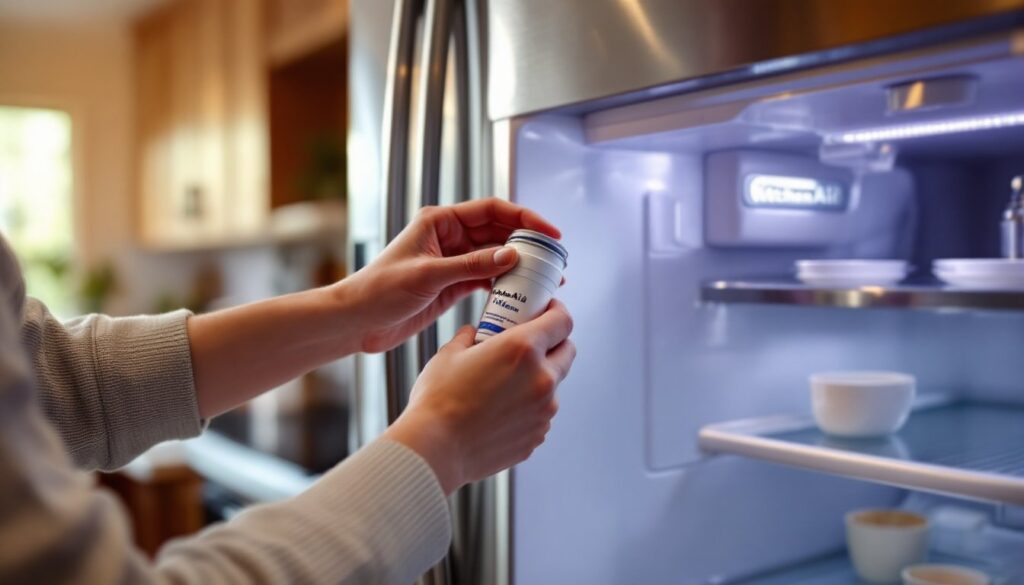
Align the new filter cartridge with the opening and push it straight in until you feel slight resistance. Then twist the collar clockwise until it’s snug. A quarter to half turn is usually sufficient, you want it secure but not over-torqued, which can crack the fitting. Once the collar is seated, you should hear or feel a subtle click that signals the filter is locked in place.
Now turn your water supply valve back on (turn it counterclockwise) and check for leaks around the filter collar. Run water from the dispenser for about 15 to 20 seconds. This flushes out air and any residue from the new filter cartridge. A slight discoloration or air sputtering is normal during this flush cycle, don’t be alarmed. Your water should run clear within a minute or two. If you see continued cloudiness after 30 seconds, wait a few more minutes: some filters trap air longer than others.
Resetting Your Refrigerator Filter Indicator Light
After you’ve installed the new filter and flushed it, your refrigerator likely still has an illuminated filter indicator light or on-screen warning. This light doesn’t automatically reset when you swap filters, you’ll need to do it manually so the fridge tracks when your next replacement is due.
Most KitchenAid models reset the indicator through the control panel or a dedicated filter reset button. If you have a touchscreen display, look for a “Filter” or “Reset” option in the menu. Press and hold it for about three to five seconds until you see the light turn off or the message clear. Some models have a physical button, usually located on the control panel or inside the refrigerator, that you press and hold to reset.
If you’re unsure which method your model uses, consult your user manual or check the manufacturer’s website with your model number. Resetting the light is just a bookkeeping task, so don’t stress if it takes a moment to find the right button. Once reset, the light will serve as a reminder six months later when it’s time to do this simple maintenance again.
Home improvement resources like Bob Vila and The Kitchn often cover appliance troubleshooting if you run into unexpected issues during your replacement. Most problems, slow water flow, leaks, or unusual sounds, trace back to air in the line or an incompletely sealed filter, both of which resolve quickly once you double-check your installation. You’ve now completed one of the easiest and most valuable maintenance tasks a homeowner can do. Keep your model number and filter type handy for future replacements, and mark your calendar for your next service date.